

Step 1
First you would need to select the payroll giving benefit through your flexible benefits page on your HR CORE portal.
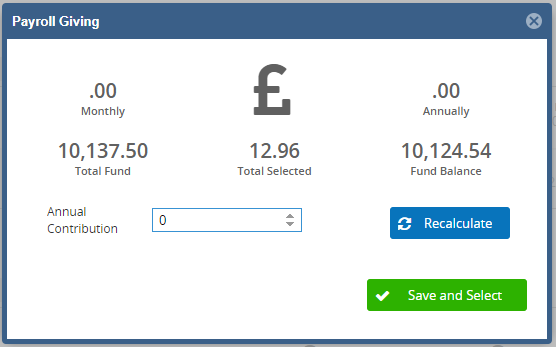
Once you have selected the payroll giving benefit you need to press the blue button and put in a figure of how much you would like to pay for the year. You can then select all your other benefits and press the big green submit button please so that your selections for next year are recorded.
This needs to be done before the Flexible Benefits window closes. If the window has closed, please email payrollandpensions@lancaster.ac.uk to confirm how much you would like to donate each month.